Your AI assistant wasn't in Tuesday's meeting. So when you ask it what the client agreed to, you paste in a transcript, explain who everyone is, and remind it which project the call was about.
Next week, you do it again.
Most meeting tools, including Granola AI, solve the first half of that problem. They record the call and give you good notes. Timeglass solves a different one. It gives your AI a memory of your work, and meetings are now part of it.
Meetings were the gap in the record
Timeglass started with automatic time tracking. It reads work on screen and builds a reviewed record of what you did, for which client, and for how long.
That record could not see inside meetings. A call showed up as a block: "Client sync, 45 minutes." For many people that's half the week, and it's where most decisions get made. The record knew the time was spent. It didn't know why the next three days of work happened.
Timeglass now records meeting audio from your own Mac, with no bot in the call and no calendar invite. What was said joins the same minute-by-minute record as everything else you did.
Looking for a Granola alternative? Start with what you need afterward
Granola is a good notetaker. People like how it turns a call into clean notes, and if notes are what you need, it does that well.
The difference shows up after the meeting. Notes are written for a person to read. Memory is built for an AI to search and answer from. The Granola MCP returns your meeting notes. The Timeglass MCP returns the meeting and the work around it: the hours spent on that client before the call, and the work that followed.
That changes what you can ask. Not just "What did we decide on Tuesday?" but "What did we decide, and has anyone worked on it since?"
There is one tradeoff. Granola transcribes live, so you can scroll back mid-call. Timeglass processes each clock minute as a unit, so its transcript trails by about a minute. In exchange, it uses a dedicated transcription model that timestamps every word.
Memory is only useful if it's accurate
An AI that remembers the wrong thing is worse than one that remembers nothing. The hard part of meeting audio isn't recording it. It's making the record trustworthy.
One meeting, not two. Timeglass works as an AI notetaker for your team, so several teammates often record the same call. Each Mac uploads one clip per minute. Before transcribing, Timeglass checks whether two clips hold the same audio. First it asks whether they get loud and quiet at the same moments. Then it asks whether they contain the same sound, not just the same rhythm. If they match, it keeps the clearest clip, transcribes it once, and merges the two meetings.
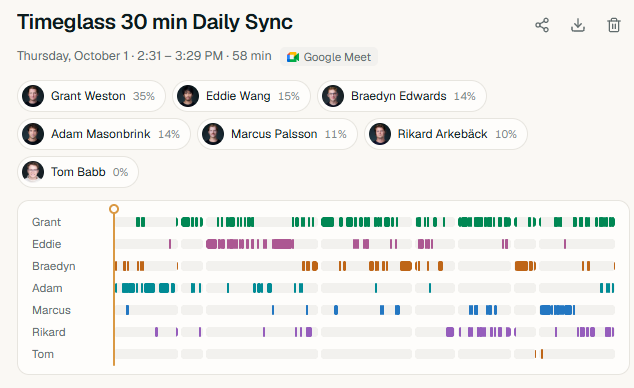
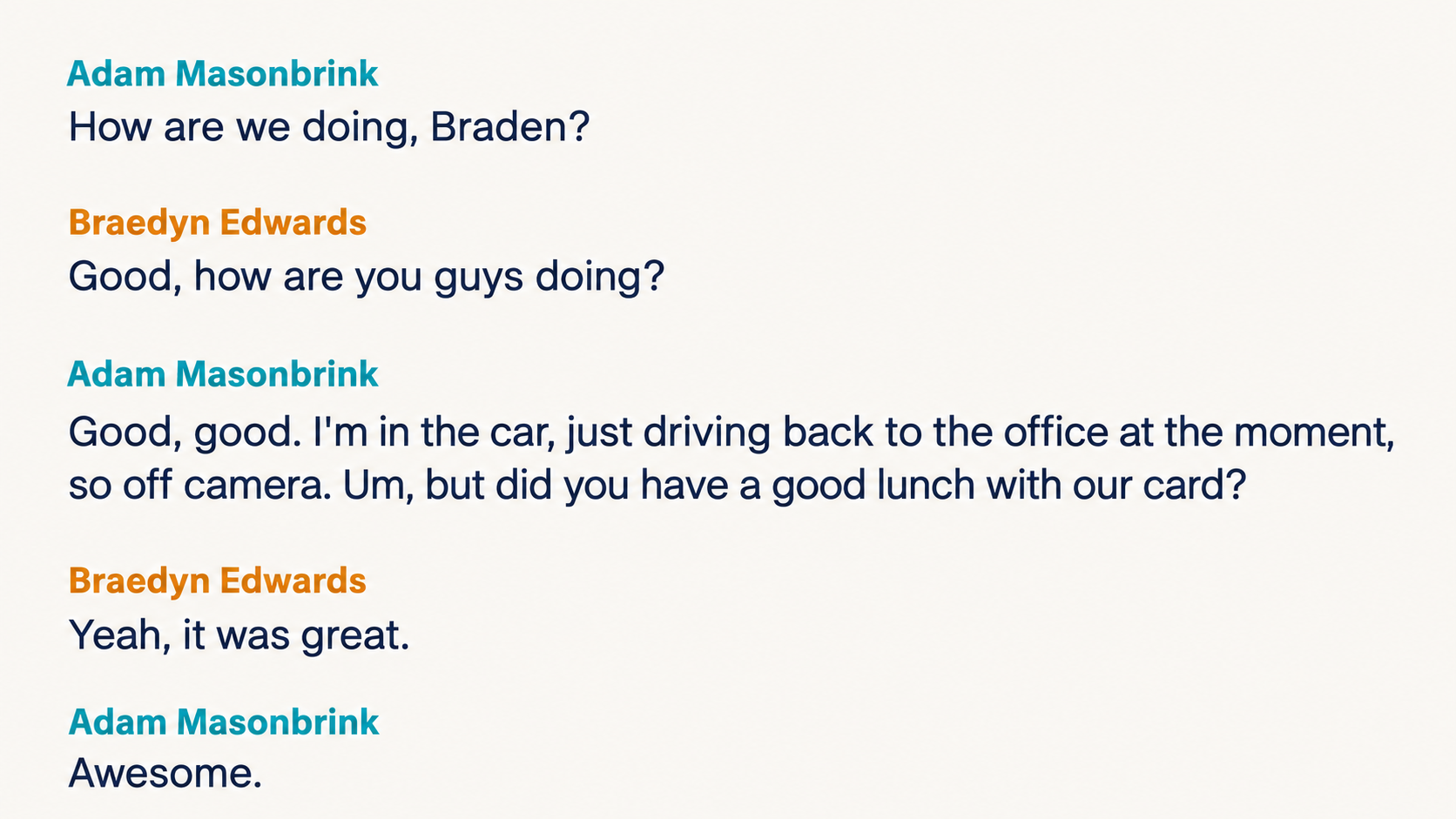
Names, not "Speaker 1." Speaker diarization splits a recording into separate voices. Speaker identification puts names on them. Many tools stop at the first step and fall back to "Me" and "Them."
Timeglass records your microphone and the call as separate channels. When your mic is loud and the call is quiet, the person talking is you.
Guests are the harder case. A client with nothing installed is harder to place. When the meeting ends, a language model reads the conversation and names people where it's clear, like someone asking "Dana, what do you think?" right before Dana speaks. It's told to be conservative. Anyone it can't place stays "Unknown speaker" instead of getting a confident wrong name.
Good memory also forgets
People often ask whether meeting notetakers are safe. The useful version of that question is: what happens to the audio afterward?
Recordings stay within your workspace and are deleted with your account.
Because there's no bot in the call, no tile announces the recording. Letting other attendees know is up to you, as with any tool that records from your own computer.
What your AI can answer now
Timeglass connects to Claude and ChatGPT through its MCP, so you can ask about meetings in plain English. Because the record is deduplicated, named and organized by minute, the answers can be specific.
Ask "What did we promise the client on Tuesday?" and you get the meeting's decisions and action items. Ask "What exactly did Sam say about the timeline?" and you get his words, each tied to the minute he said them.
The most useful questions span meetings and work together. Action item tracking usually means checking whether a task was marked done. Timeglass can show whether anyone actually worked on it: "What did I commit to in meetings last week, and which of those have I spent time on?"
The meeting ends. The work doesn't.
Other tools give you notes from the call. Timeglass keeps the call in the same record as the work it led to. Your AI can follow a decision from the moment it was made to the hours it took.
Start a fourteen-day trial to give your AI a memory of your work, meetings included.
Common Questions
FAQ
What's a good Granola alternative for teams?
It depends on what you need after the call. If you want polished notes, Granola does that well. If you want meetings connected to the work that followed, and queryable by your AI, Timeglass is built for that.
How does the Timeglass MCP compare to the Granola MCP?
The Granola MCP returns meeting notes. The Timeglass MCP returns meetings alongside your time and work records, so one question can cover both.
How does Timeglass identify speakers?
It uses separate mic and call channels for the person recording, and conversation context for everyone else. Anyone it can't place stays "Unknown speaker."
Does Timeglass join calls as a bot?
No. It records from each user's own computer, so there's no bot and no calendar invite.